Attaching Static DLs to Link's Skeleton
This technique lets you lock a static display list (DL) mesh to a specific bone on Link's skeleton. This allows items like the Bunny Hood to be repurposed as a chest piece, wings, or any other equipment slot — not just the slot they were originally designed for.
You can only assign a mesh to one bone.
Steps
1. Align the mesh in Blender
Align your mesh (in this example, boots) to fit over the player model.
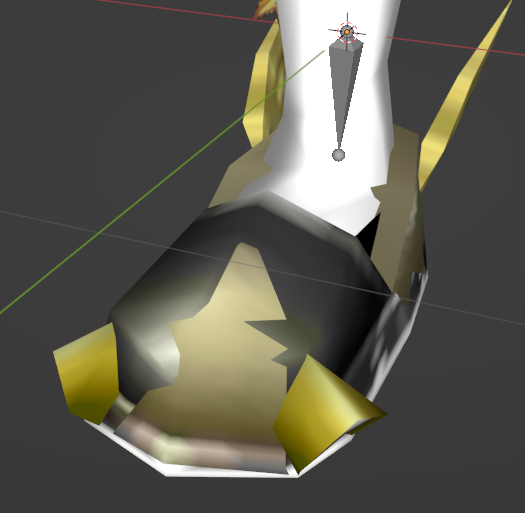
2. Set the origin point
Set the origin point of your mesh to the pivot point of the bone you want to lock it to (right foot in this example).
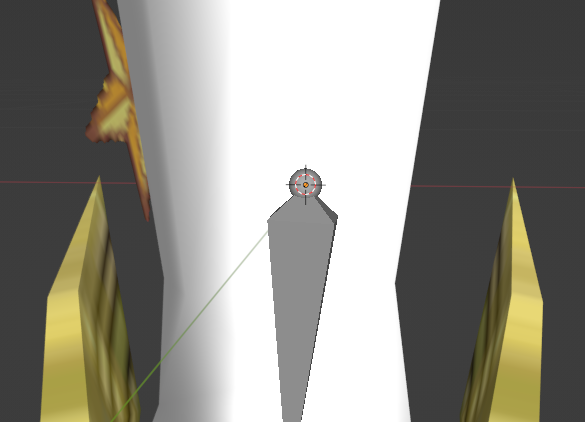
3. Counter-rotate for in-game alignment
Rotate the mesh to counteract the rotation OoT applies at runtime. For boots, this is 180° X + 270° Z. See the bone reference table below for other bones.
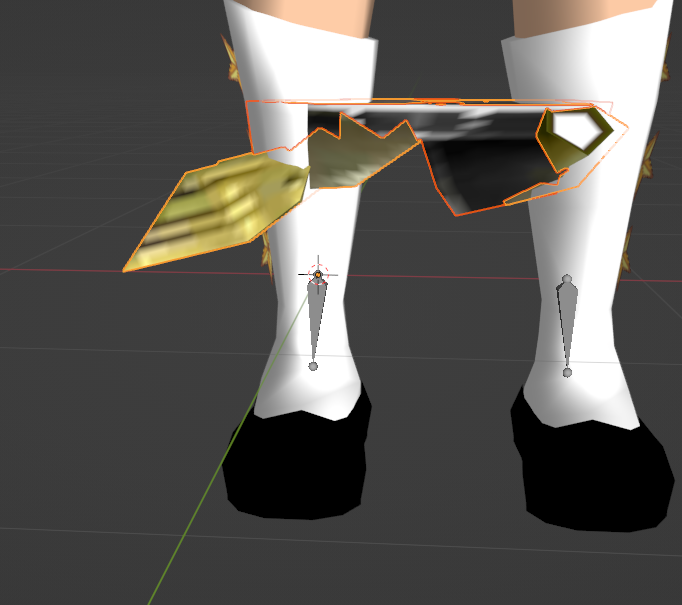
4. Export the DL
Export the mesh as the correct DL using the asset sheets.
The latest version of the HM64 Fast64 Plugin for Blender can handle step 5 directly inside Blender, so you can skip the manual file edit.
5. Add the matrix path to the DL file
Navigate to your export folder and open the main file for each DL in a text editor (Notepad++ or similar).
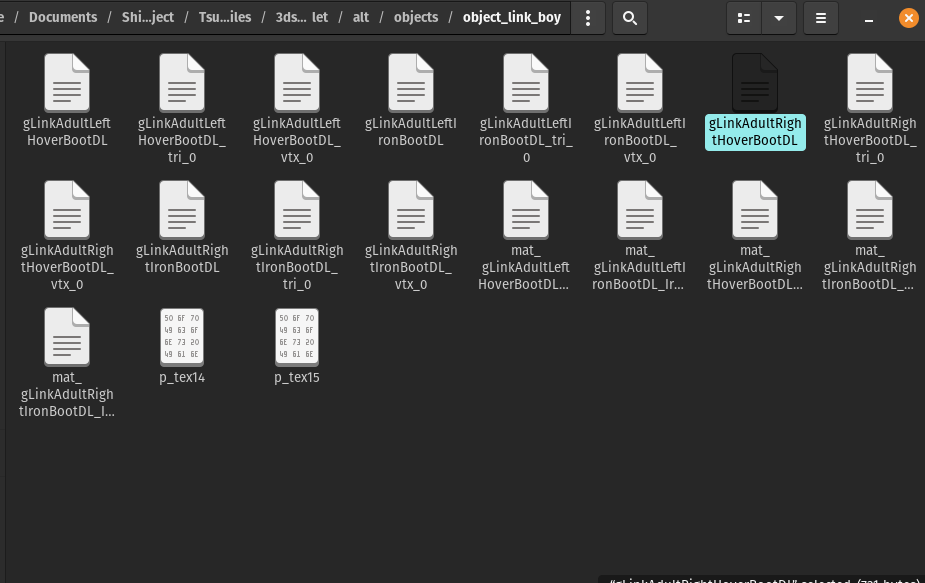
Add an extra line of code as shown below. Use the correct matrix path from the bone reference table for the bone you want to attach to.

Save the file, pack into an O2R/OTR, and load in Ship. If the mesh is misaligned in-game, reset the rotation back to match the bone and re-apply the counter-rotation adjustments.
Bone Reference Table
The matrix path locks the origin point of your mesh to the pivot of the assigned bone.
Rotations assume the player model is in a T-pose. Bones marked with ? are unconfirmed names.
| Bone | Matrix Path | Rotation |
|---|---|---|
| Head | <Matrix Path=">0x0d0001c0" Param="G_MTX_LOAD"/> | 180x + 270z |
| Hat | <Matrix Path=">0x0d000200" Param="G_MTX_LOAD"/> | 90x + 270z |
| Collar? | <Matrix Path=">0x0d000240" Param="G_MTX_LOAD"/> | — |
| Left Shoulder | <Matrix Path=">0x0d000280" Param="G_MTX_LOAD"/> | — |
| Left Arm | <Matrix Path=">0x0D0002C0" Param="G_MTX_LOAD"/> | 90x |
| Left Hand | <Matrix Path=">0x0d000300" Param="G_MTX_LOAD"/> | — |
| Right Shoulder | <Matrix Path=">0x0d000340" Param="G_MTX_LOAD"/> | — |
| Right Arm | <Matrix Path=">0x0d000380" Param="G_MTX_LOAD"/> | 90x |
| Right Hand | <Matrix Path=">0x0d0003c0" Param="G_MTX_LOAD"/> | — |
| Chest | <Matrix Path=">0x0d000440" Param="G_MTX_LOAD"/> | 270x + 270z |
| Waist? | <Matrix Path=">0x0d000000" Param="G_MTX_LOAD"/> | — |
| Right Thigh | <Matrix Path=">0x0d000040" Param="G_MTX_LOAD"/> | — |
| Right Leg | <Matrix Path=">0x0d000080" Param="G_MTX_LOAD"/> | — |
| Right Foot | <Matrix Path=">0x0d0000C0" Param="G_MTX_LOAD"/> | 180x + 270z |
| Left Thigh | <Matrix Path=">0x0d000100" Param="G_MTX_LOAD"/> | — |
| Left Leg | <Matrix Path=">0x0d000140" Param="G_MTX_LOAD"/> | — |
| Left Foot | <Matrix Path=">0x0D000180" Param="G_MTX_LOAD"/> | 180x + 270z |